Printing on thermal and continuous-feed printers
Pick roll or continuous stock
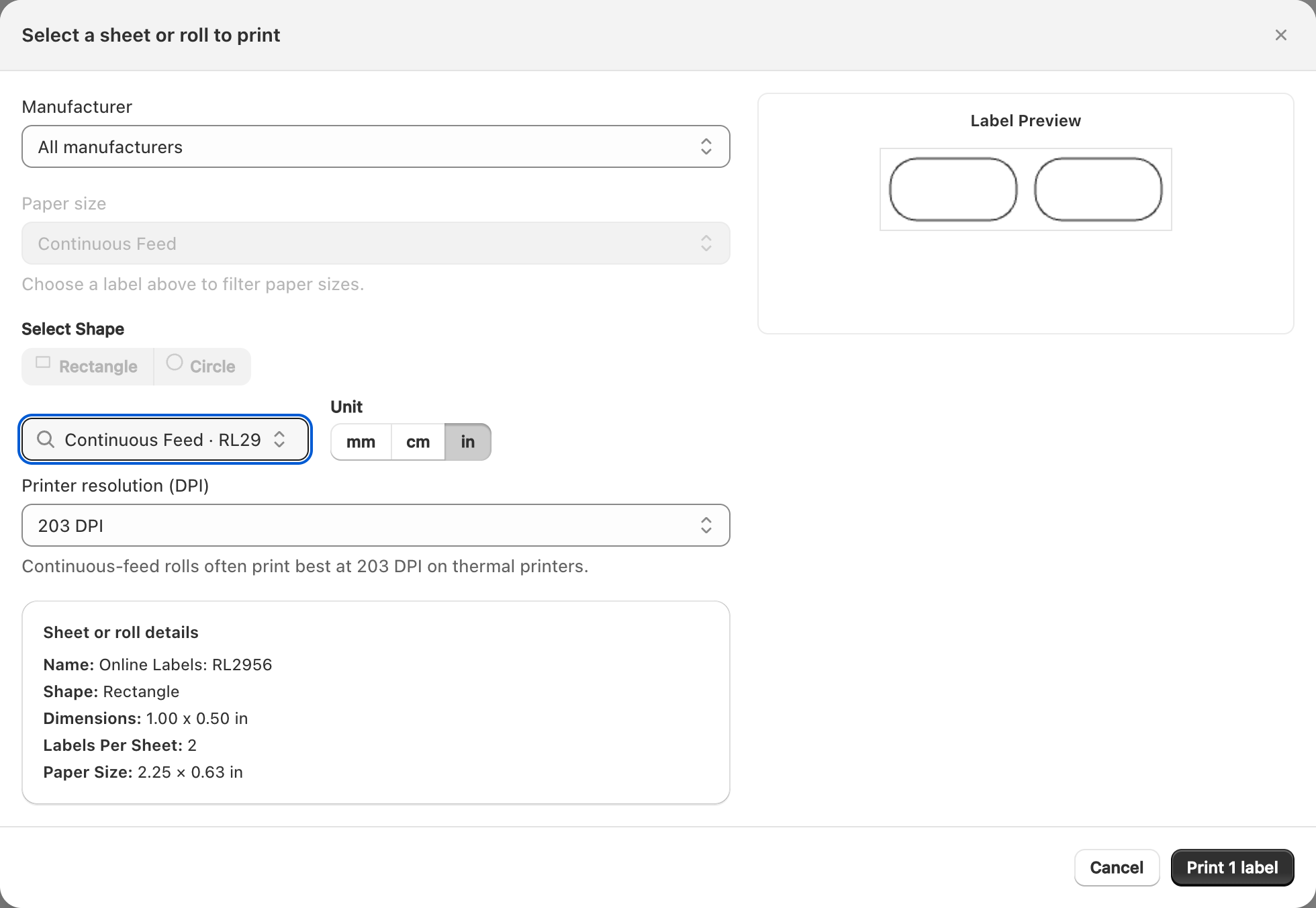
- Design for a roll or Continuous Feed size that matches your physical labels (for example 4×6).
- In Print labels, choose that same sheet/roll in the stock picker.
- Set Print resolution to 203 DPI unless your printer documentation recommends otherwise.
Driver and printer setup
- Install the manufacturer’s driver or print utility.
- Set the printer’s label size to match the design.
- Disable options that resize the page to letter/A4 when you intend to print a single label.
Browser printing to a thermal printer
Some setups print through the browser to the thermal printer; others use a print utility that watches a PDF. Follow your printer’s recommended path, but keep Label Wizard’s DPI and stock selection correct either way.
Continuous feed vs sheets
Continuous designs are not multi-label office sheets. Do not pick an Avery sheet template when you are loading a thermal roll — the preview and layout will not match the printer.
Related articles
Updated on: 09/10/2026
Thank you!